SaaS · Product Design · LegalTech
Designing compliance,
for everyone in the room.
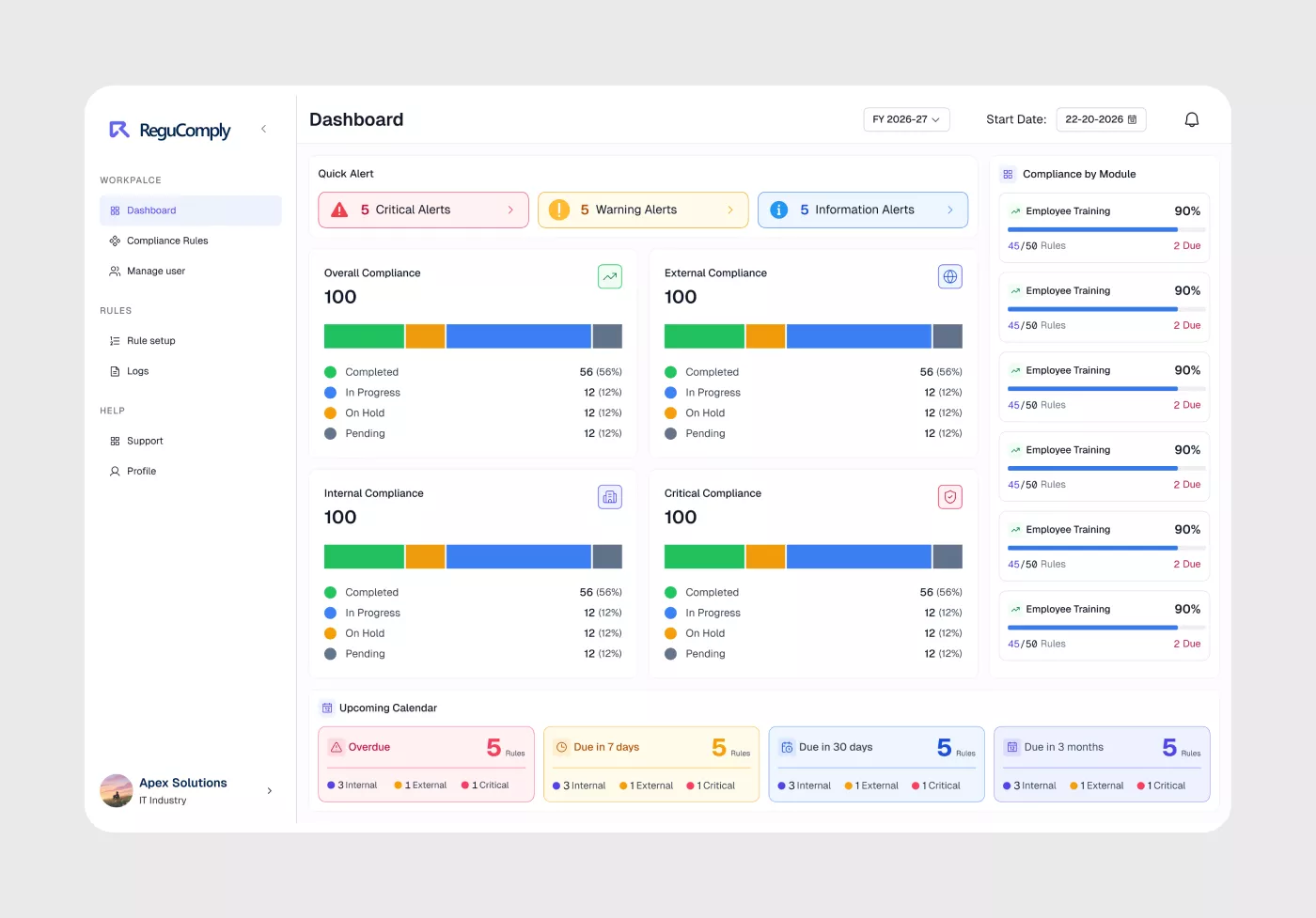
What is Regucomply?
Regucomply is a multi-tier compliance management platform for organisations — adaptive enough to scale, simple enough for users who have never touched a product like this before.
Role
Product Designer
Type
SaaS · LegalTech
Status
Shipped · Phase 1
Tools
Figma
My Role
Research · Information Architecture · UX · UI · Design System · Developer Collaboration
Problem: Multi-tier permissions and legal compliance rules created a fragmented, navigation-heavy experience where users lost context across nested tabs.
Outcome: Reworked rule discovery into an intuitive list-and-detail architecture, established a scalable component design system, and delivered seamless handoff for development.
No unified way to manage compliance
Organisations navigating legal compliance — rules, regulations, obligations — have no simple, unified way to manage it. Lawyers, administrators, and end users operate in silos, with no clear system connecting them.
Regucomply needed to change that. The product serves an entire compliance ecosystem — from a super admin managing a full law database, down to employees inside an organisation who simply need to know what applies to them and what action to take.
The core design challenge was twofold: build something that can expand as the product grows, and make it usable for people with no technical background whatsoever.
"The system had to work for a lawyer managing thousands of rules and a team member who has never used compliance software — simultaneously."
Operational silos
Lawyers, administrators, and end users had no unified system connecting them — each operated in isolation with no clear handoff structure.
Scale vs. simplicity
The platform needed to scale for a super admin managing thousands of compliance rules while remaining intuitive for employees with zero technical background.
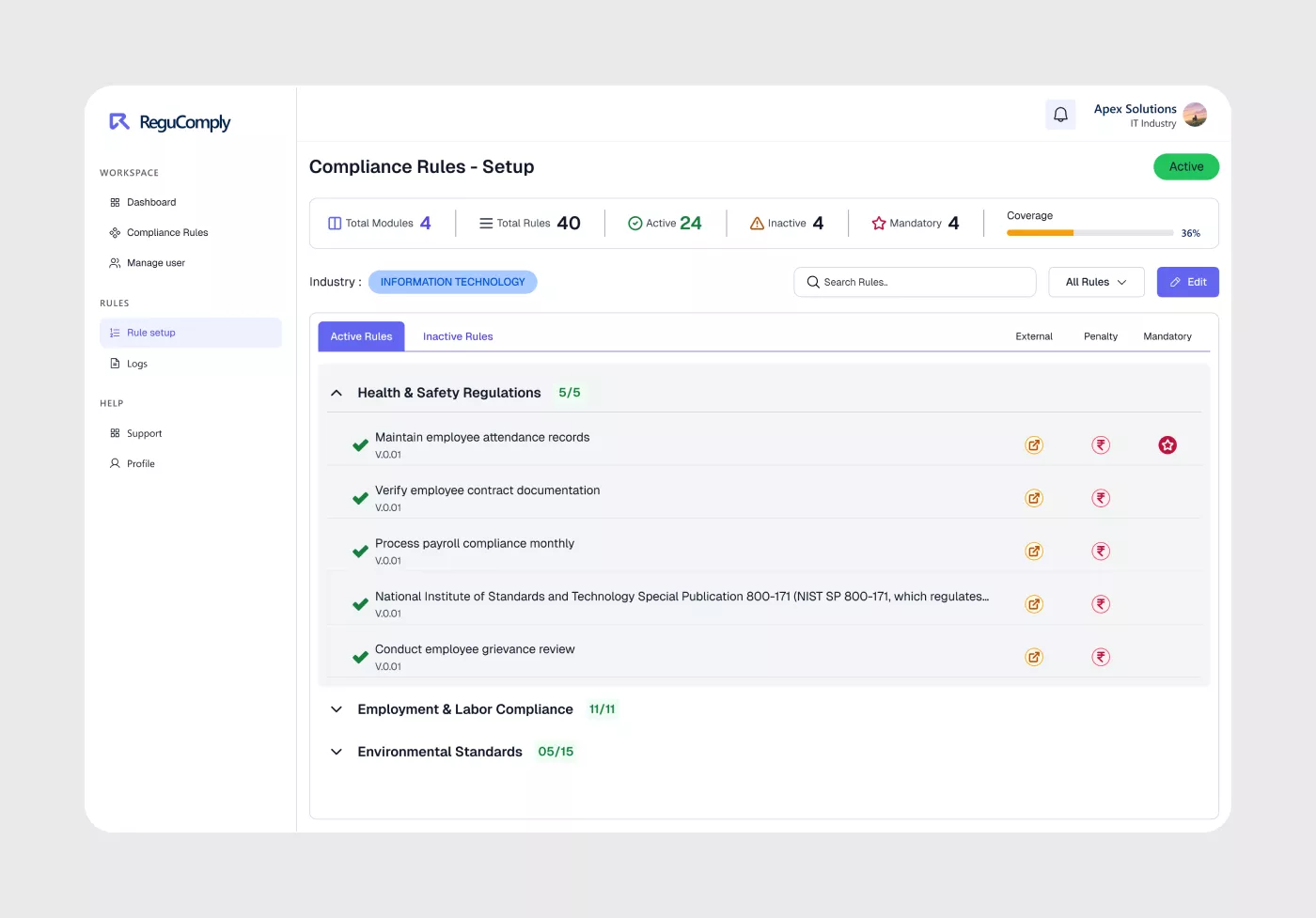
Rule setup panel — compliance rules organised by module, with active/inactive tracking and mandatory flags.
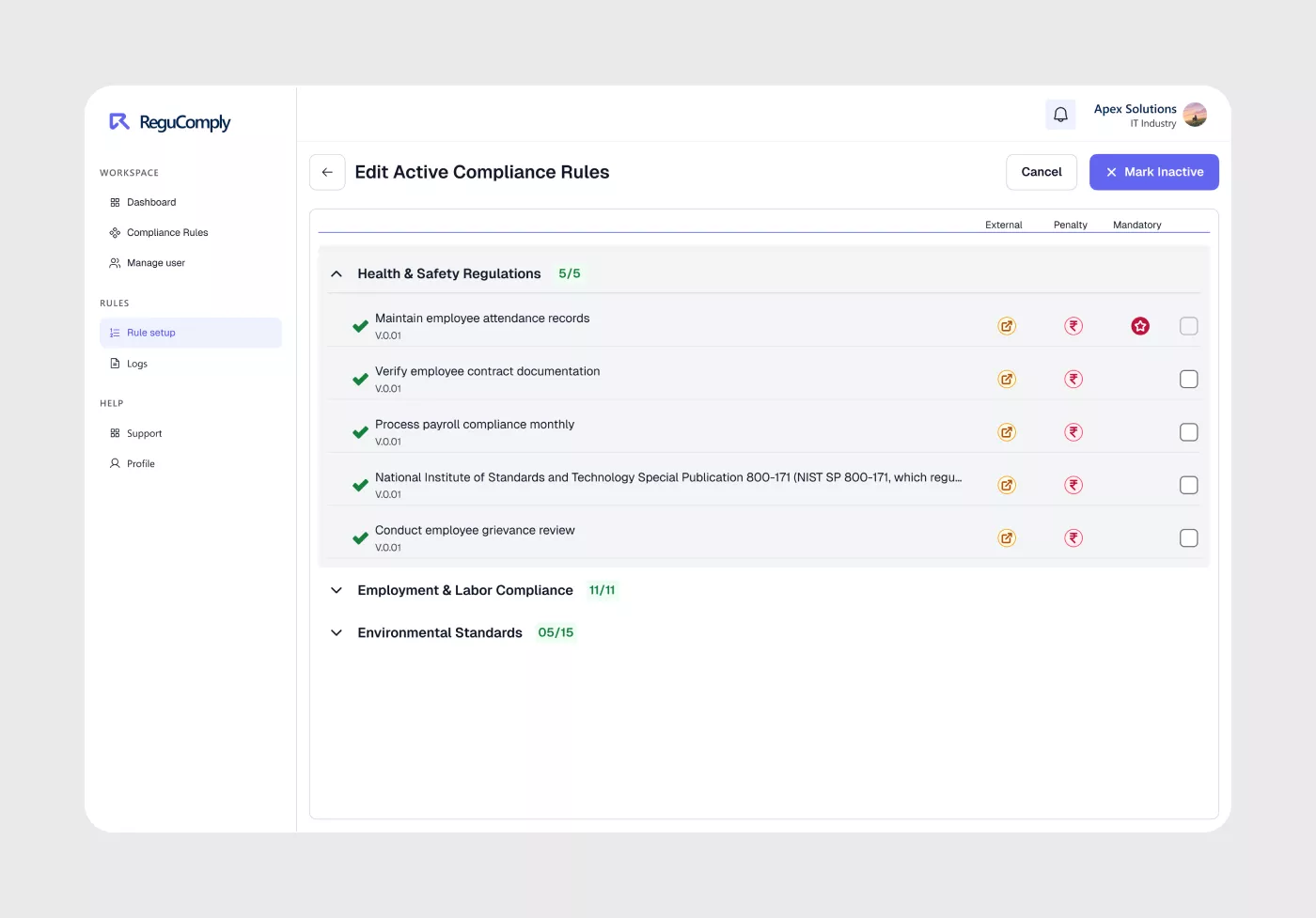
Detail mode for adding triggers, legal citations, and localized requirements to a rule.
Five tiers. One system.
Five distinct user types sit across a layered permission structure. Each has a different level of access, responsibility, and technical fluency.
Super Admin
Full platform & law database control — the highest level of system access.
Admin
Manages multiple organisations across the platform.
Organisation Admin
Manages their own organisation's compliance setup and team.
Client Admin
Manages client-level access and compliance obligations.
End Users
Day-to-day compliance tasks — non-technical users who need clarity on what applies to them and what to do.
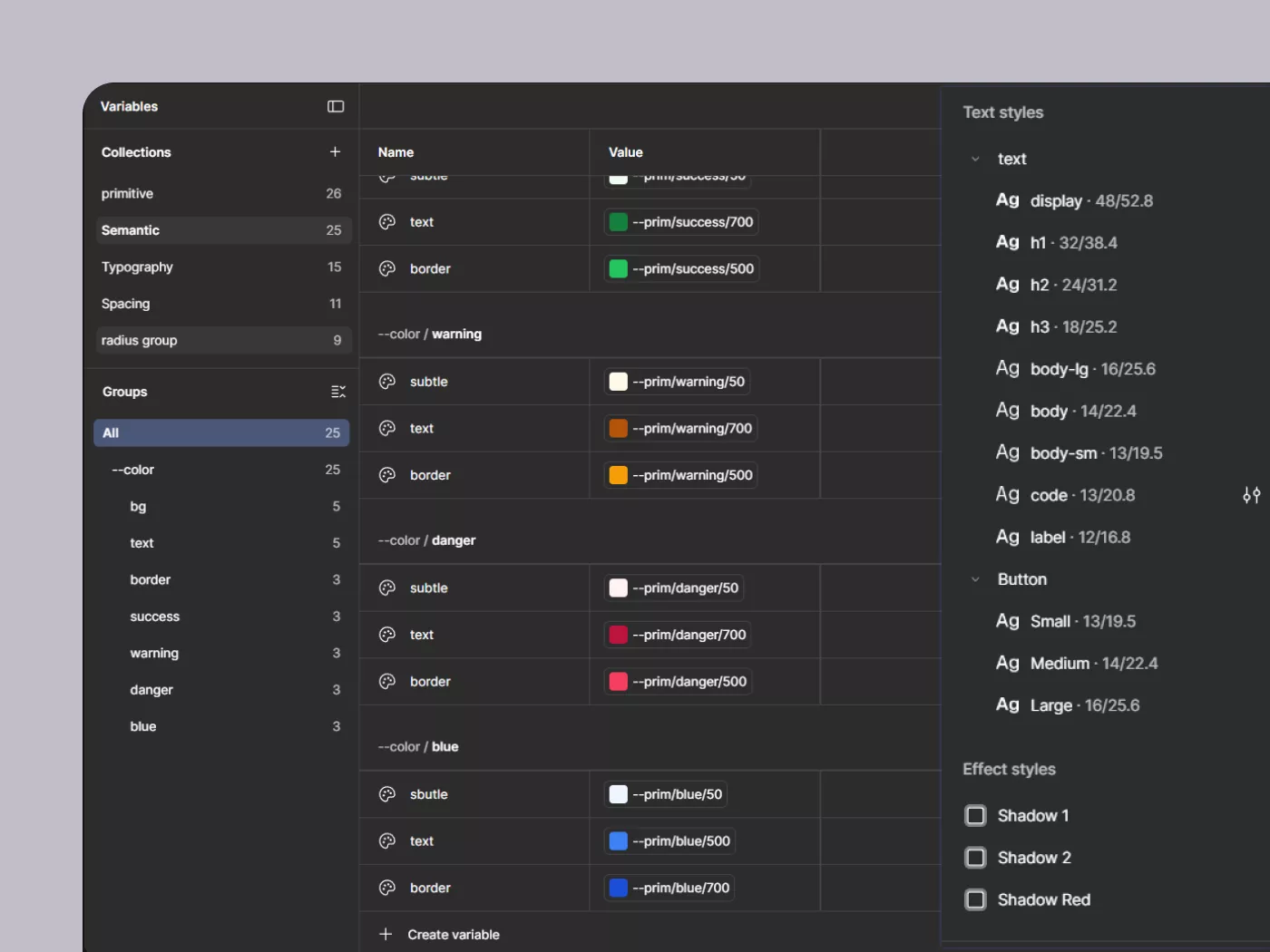
Unified design system — variables, typography, and component tokens built to span all five user panels consistently.
How I approached it
This was new territory — a complex multi-user SaaS product, a domain I had no prior experience in, and limited documentation to start from. I structured my approach to move from understanding to clarity as deliberately as possible.
Secondary research
Studied how existing compliance tools, legal SaaS platforms, and admin dashboards are structured — building domain context before touching any design work.
Mapping how users connect
Mapped out how each user tier communicates with the others — who assigns what, who sees what, and where handoffs happen. Getting this system logic right was the foundation everything else was built on.
Drafts & wireframe exploration
Explored layouts and flows through low-fidelity drafts — stress-testing how to simplify complex compliance information into something a non-technical user could act on confidently. Multiple iterations per screen before any pixel was polished.
High-fidelity UI & design system
Moved from drafts to high-fidelity screens, building a shared design system in parallel — variables, tokens, and a full component library that spans all five user panels consistently. Every component was designed to scale as the product grows.
Tables, dashboards & data UI
Designed data-heavy interfaces including compliance tables and a graph-based analytics dashboard — both of which required careful thinking around information density, hierarchy, and how non-technical users read complex data.
Feedback & sign-off
All designs were reviewed with the project manager — a practising lawyer — who validated flows against real compliance scenarios. Phase 1 completed and handed off for development.
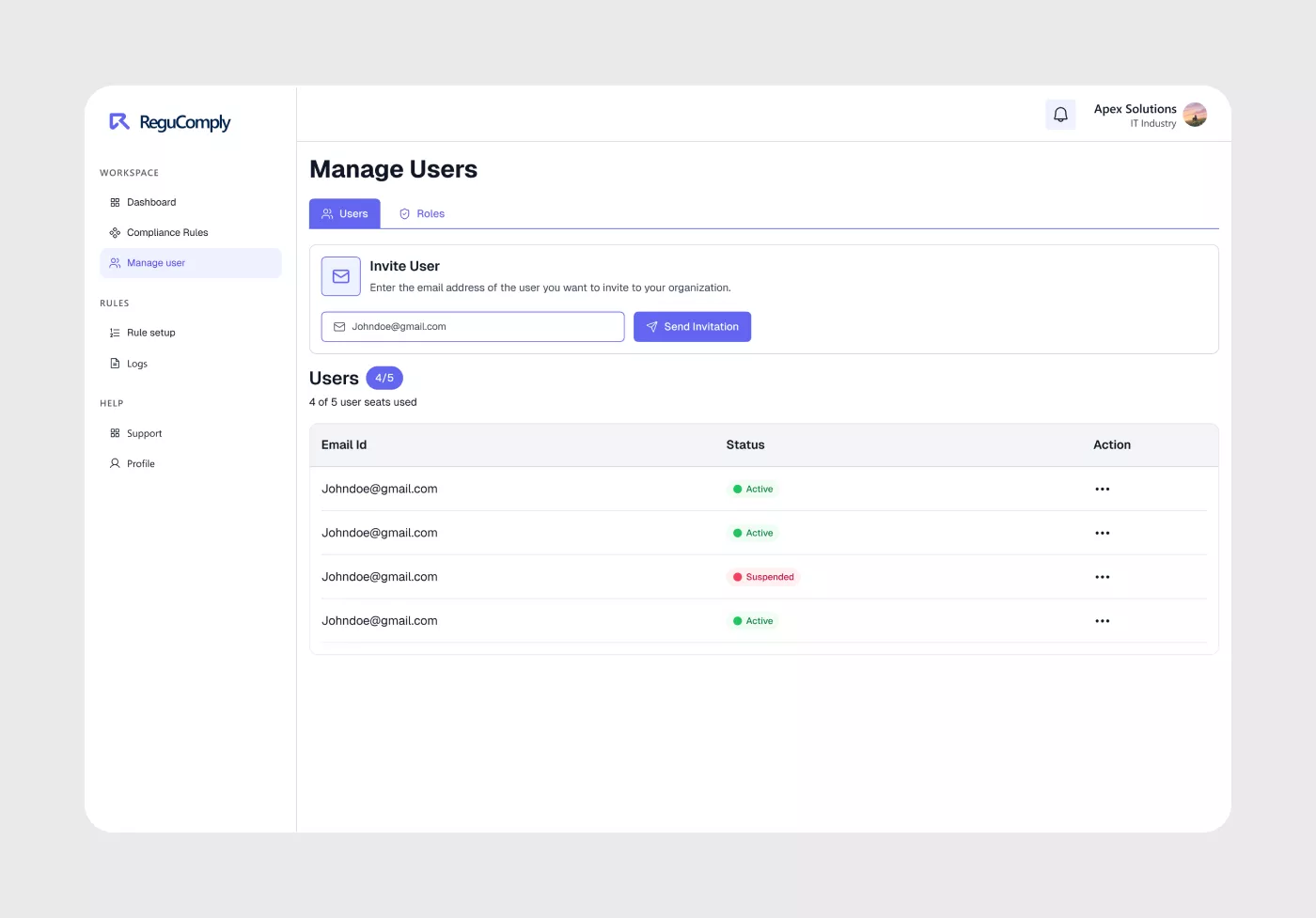
Organisational dashboard view showing list of admins and teams across all client groups.
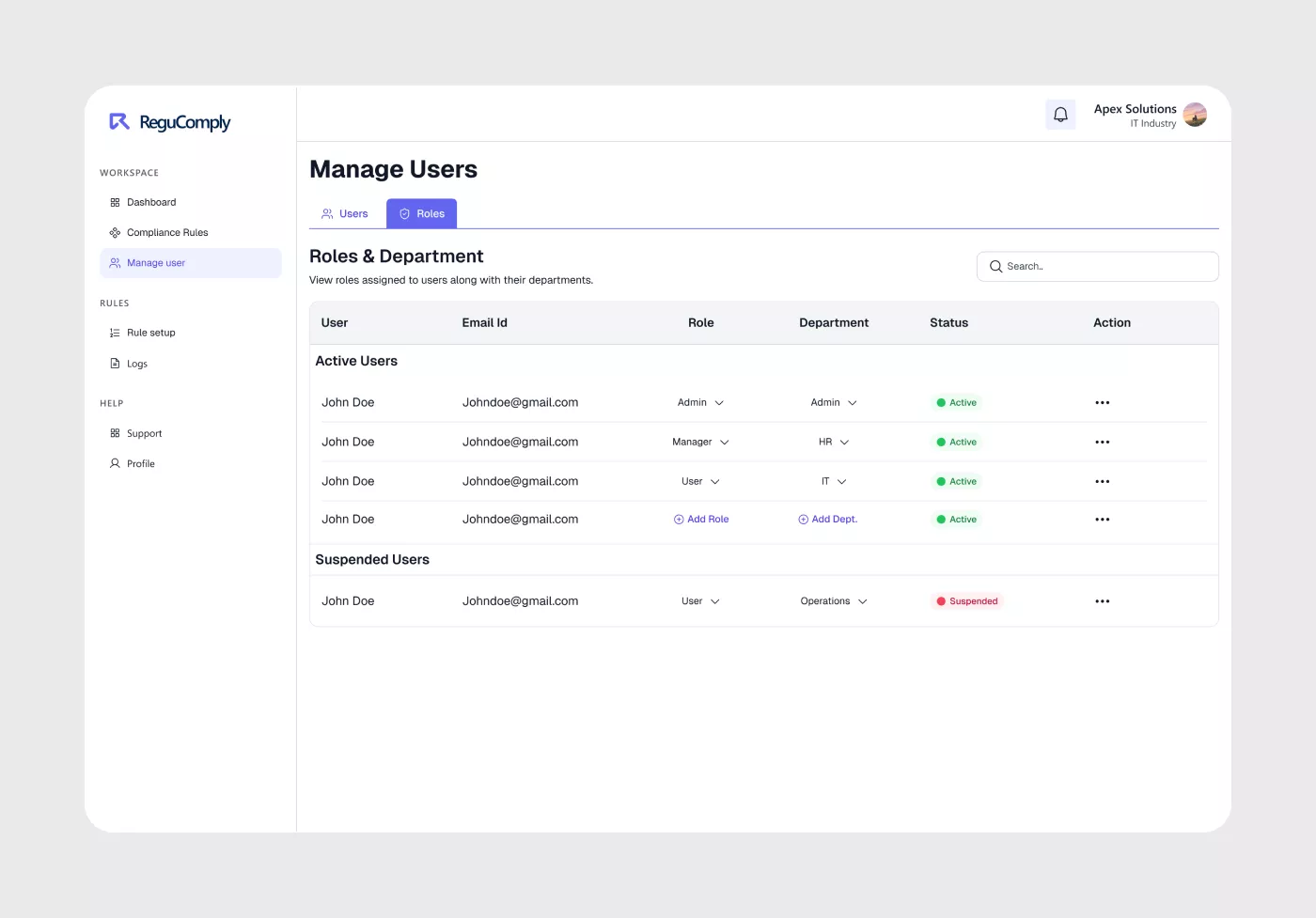
Manage user details panel to configure multi-tenant admin properties and permission scopes.
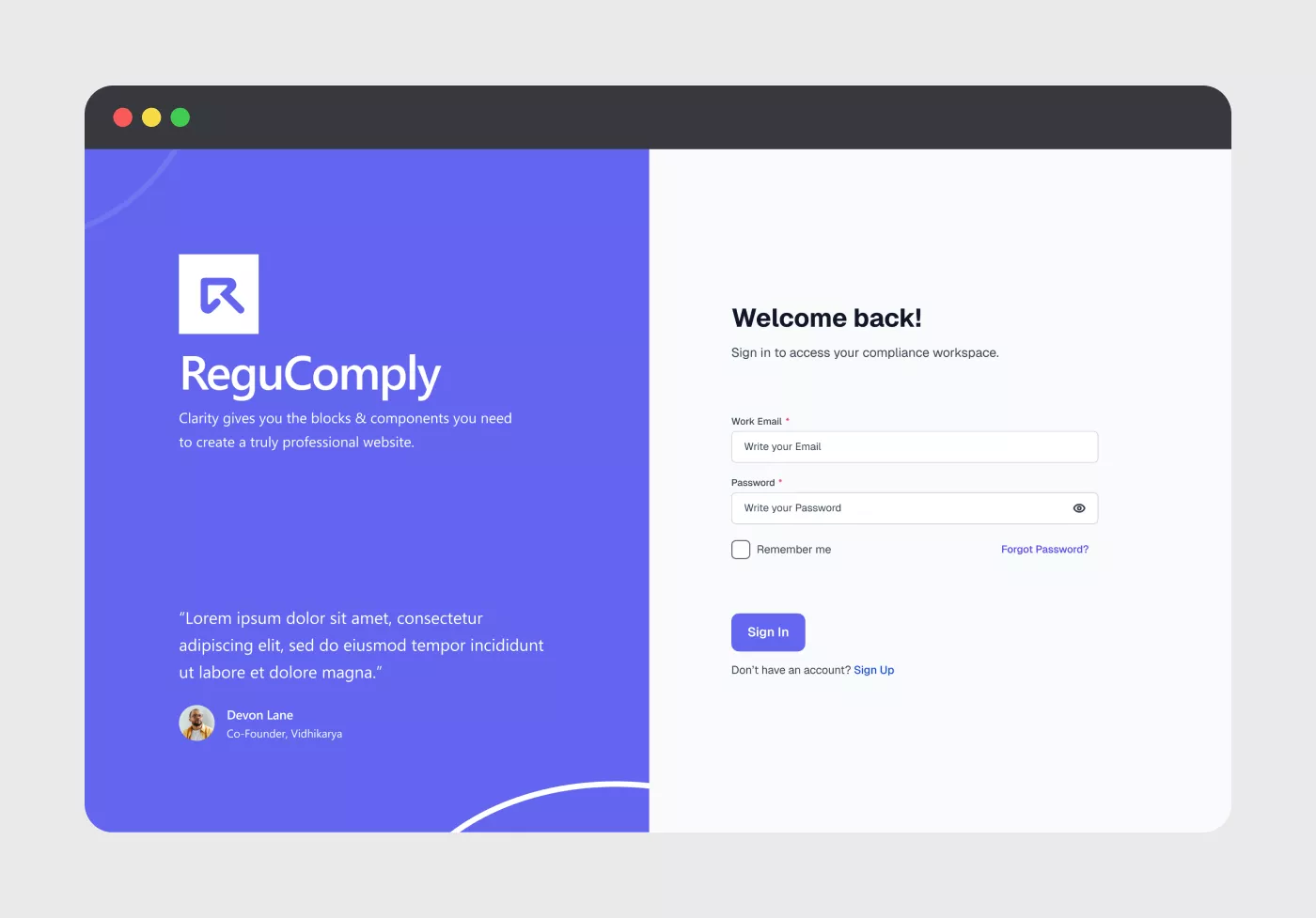
Organization and admin entry portal ensuring strict permission verification.
What made this hard
Time pressure
A fast-moving timeline meant making confident design decisions quickly, with limited space for extended research cycles.
Limited information upfront
First time designing in this domain. Early decisions had to be made with incomplete context, then refined as understanding deepened through the process.
Grounded in real expertise
Designs are validated directly with the project manager — a lawyer with hands-on compliance experience. This grounds the work beyond visual quality: every flow is tested against how compliance actually operates in practice.
Their input has shaped both the information architecture and the language used in the interface — ensuring the product makes sense to legal professionals and non-technical users alike.
Every flow is tested against how compliance actually operates in practice — not just how it looks.
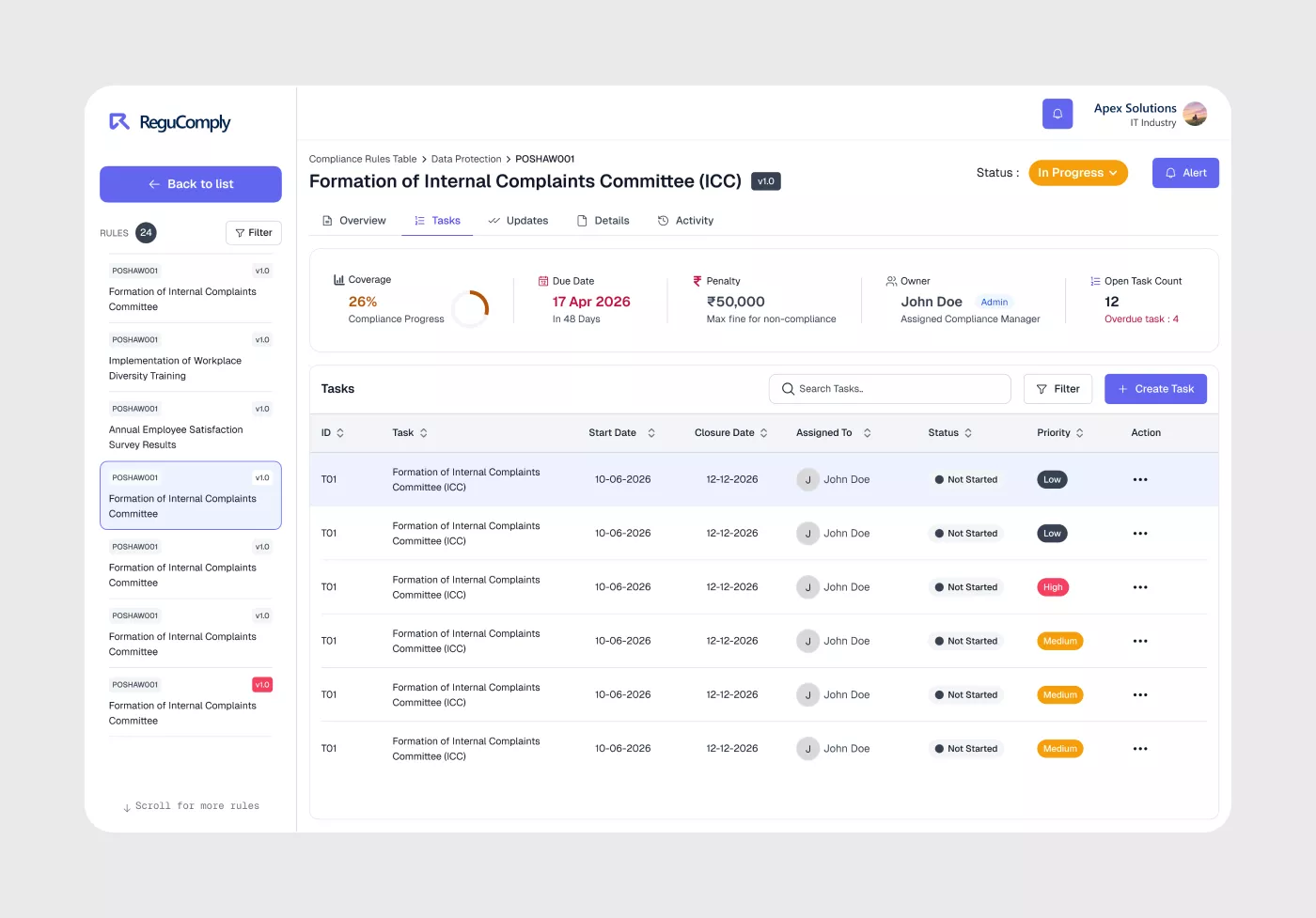
Validated UI detail — language and flows reviewed by a practising lawyer for compliance accuracy.
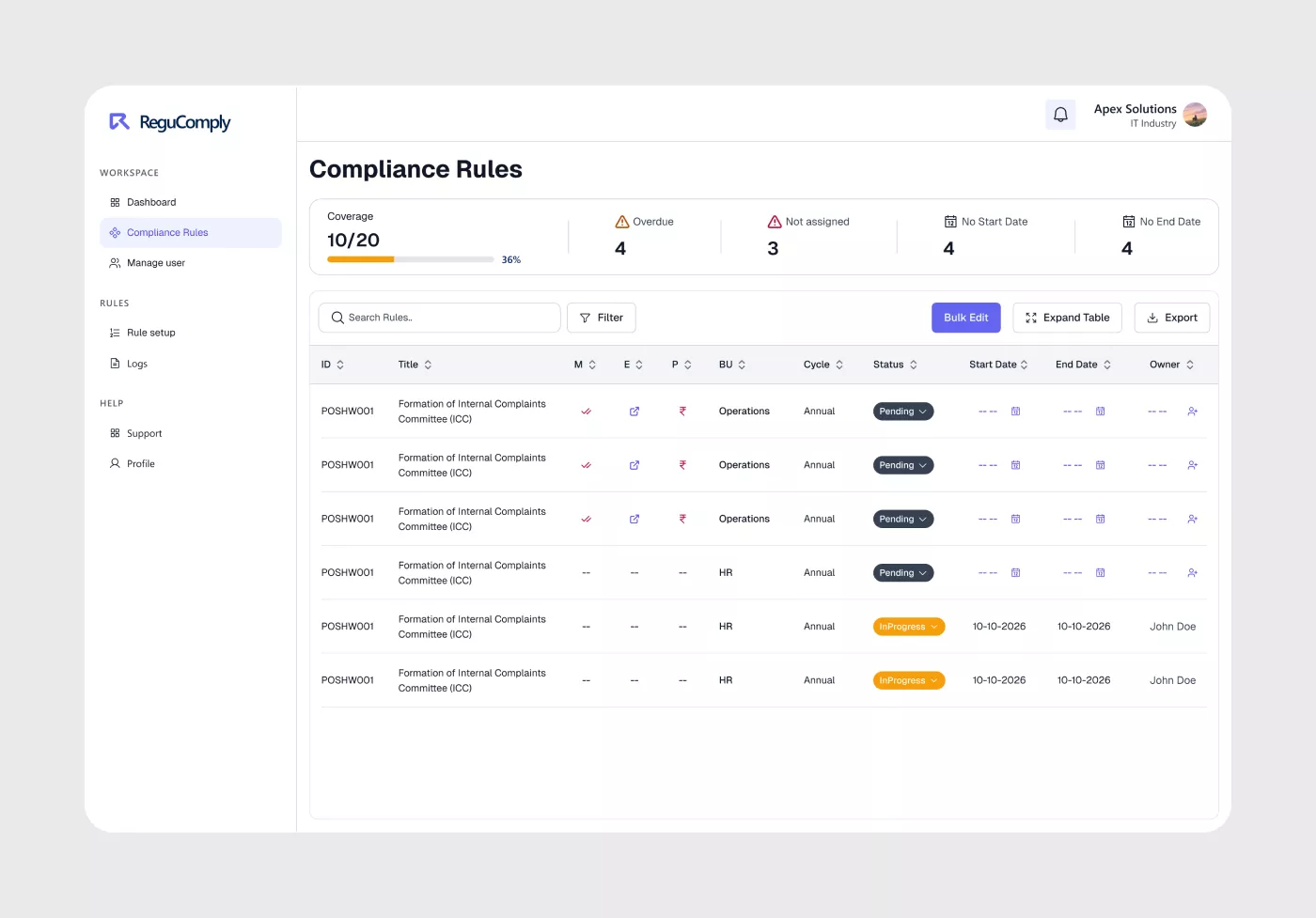
Comprehensive tabular view aggregating compliance requirements, active state, and legal citations.
What was delivered
Phase 1 is complete. Starting from early drafts, I worked through to a full high-fidelity product — building a design system, a component library, complex data tables, and a graph-based analytics dashboard across all five user panels.
The work was signed off internally and handed to development. The architecture is built to accommodate future phases without a redesign.
5
User panel types
Super Admin → End User — all designed
1
Unified design system
tokens, variables & component library
2+
Data-heavy interfaces
compliance tables & graph dashboard
What this project taught me
Regucomply taught me things a straightforward brief rarely does. Going from early drafts to a shipped high-fidelity product across five user tiers — each with different mental models and permissions — meant that decisions made in week one rippled through every screen that followed.
Designing the data tables and analytics dashboard was where this became most visible. Complex information that legal teams rely on daily had to read clearly for non-technical users. That tension — between density and clarity — shaped the whole visual system.
Building the design system in parallel with the UI, rather than after, was the right call. It forced consistency early and made the dev handoff far smoother than it would have been otherwise.
Making complexity invisible without losing precision — that's the hardest thing to get right in a domain like compliance. Phase 1 proved it's possible.